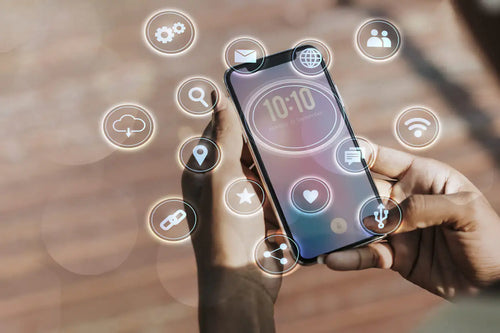
How do you know if your phone has eSIM technology?
We are proud to keep you connected in every corner of the planet. Today, we want to tell you about a technology that is revolutionizing the way we communicate: the eSIM.

Welcome, travelers!
At TuSIM Travel, we pride ourselves on keeping you connected in every corner of the planet. Today, we want to tell you about a technology that is revolutionizing the way we communicate: the eSIM.
What is an eSIM?
Before going into detail about how to check if your phone is eSIM compatible, let's clarify what it is exactly. An eSIM is a digital SIM card integrated into your device, eliminating the need for a physical card. This not only makes it easier to switch between different carriers and data plans but is also a more sustainable and practical solution.
Why is it so important?
eSIM offers you unprecedented flexibility, especially when you are traveling. You can activate local data plans instantly in more than 150 countries without changing the physical SIM card. Imagine arriving at your destination and being connected in a matter of minutes, without worrying about buying a local SIM or dealing with complex setup processes.
Now, here’s a step-by-step guide to finding out if your cell phone is eSIM compatible.
1. Check Manufacturer Specifications
The first step to know if your device is compatible is to consult the manufacturer's specifications. Devices that generally support eSIM are:
- Apple: iPhone XS, XS Max, XR, and later models.
- Samsung: Galaxy S20, S20+, S20 Ultra, Note 20, Note 20 Ultra, and later models.
- Google: Pixel 3, 3 XL, 4, 4 XL, and later models.
2. Explore Phone Settings
Most eSIM-compatible phones include an option in the settings to add an eSIM. Here's a quick guide:
- iPhone: Go to "Settings" > "Cellular Data" > "Add Data Plan".
- Samsung: Go to "Settings" > "Connections" > "SIM Manager" > "Add Mobile Plan".
3. Contact your Carrier
Even if your device is eSIM compatible, you will need a carrier that offers plans. At TuSIM Travel, we provide eSIM support in over 150 countries, ensuring wide and reliable coverage.
4. Use Checker Apps
Look for apps like "eSIM.me" or "ESIM+ Check" in your device's app store to quickly and easily verify compatibility.
What to do if your phone is not eSIM compatible?
If you find that your device is not eSIM compatible, don't worry! You can still enjoy our international physical SIMs. We offer a wide range of options to keep you connected no matter where you go.
eSIM is a powerful tool for modern travelers, offering seamless connectivity and incredible flexibility. At TuSIM Travel, we are committed to providing the best solutions to keep you connected, whether through an eSIM or our reliable physical SIMs.
Happy travels and excellent connection!
Connect while traveling with TuSim Travel and follow us on our social networks:
Facebook, Instagram or TikTok.